First Run & Activation
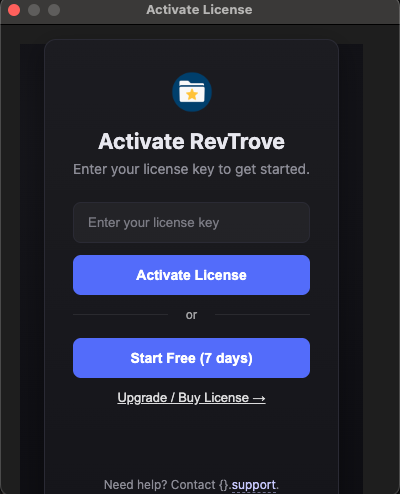
When you launch RevTrove for the first time, the following window appears for license activation.
Activate with a license key (new purchase)
- Create an account and sign in.
- Open the Pricing section and click Buy Now.
- After a successful purchase, you’ll be shown your activation key. (It’s also sent to your email inbox.)
- Copy the key, paste it into the activation window, and confirm.
You can use the full-feature trial first and activate later.
Activate after using the trial
If you started in trial mode and purchased later, open the activation dialog from within the app:
- In the desktop app, go to Help → Activate License.
- Paste your license key and click Activate.