
Subscription & Account Linking
RevTrove Pro (Subscription) unlocks cloud storage, real-time sync, and AI features. Pro access is tied to your RevTrove account (no license key needed).
What you get with Pro
- Cloud storage & backups
- Real-time sync across your devices
- AI curation and related features
Pro subscribers can sign in to your Desktop app — your entitlement is synced automatically.
How the subscription links to your account
- Web/Desktop purchases (Paddle) and Mobile purchases (via App Store / Google Play) are linked to the account you’re signed in with.
- Use the same email/account on all devices to access Pro everywhere.
Start a Pro subscription
- Sign in with your RevTrove account.
- Go to Pricing and click Start Pro.
- Complete checkout. Your Pro status is applied to your account instantly.
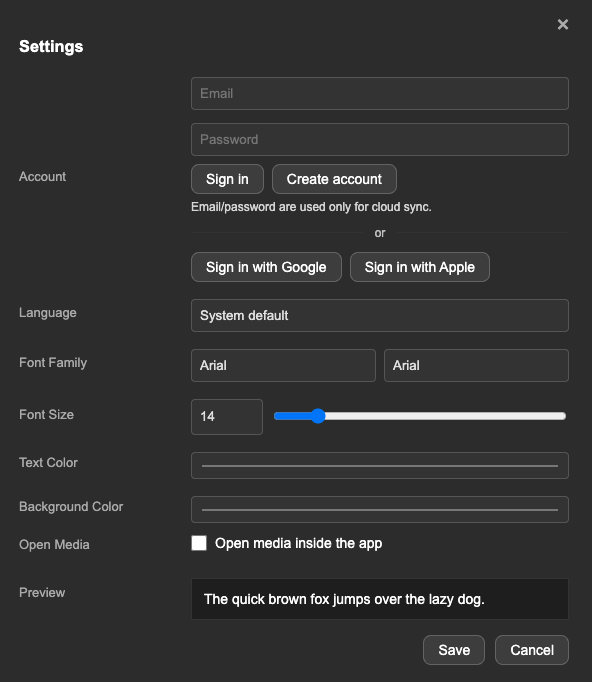
- Open the app and open the Settings menu.
- If your subscription is active, sign in with the same account you used on the web/app and it will link automatically.
On mobile (iOS / Android)
- Install the app and sign in with your RevTrove account.
- Open the in-app purchase and start a subscription via App Store / Google Play.
- If you changed devices or reinstalled, use Restore Purchases in Settings (if shown).
Manage / cancel subscription
- Web/Desktop (Paddle): Use Account → Manage billing in the app/website.
- Mobile: Manage from your App Store / Google Play subscriptions screen.
Changes (upgrade, cancel) usually reflect within a minute. If not, sign out and back in.
Use on multiple devices
- Sign in with the same account on each device to access Pro.
- Your cloud will sync in real time once Pro is active.
Troubleshooting
- Paid but still Free: Sign out and back in. Confirm you used the same email to purchase and sign in.
- Purchased with a different email: Keep both emails handy and contact support to link your purchase to the preferred account.
- Mobile restore: Use Restore Purchases in app Settings, then re-open the paywall to refresh.
If you used Apple/Google on mobile and email/password on desktop, make sure both sign-ins resolve to the same RevTrove account (same email). If unsure, contact support.
FAQ
Do I need a license key for Pro?
No. Pro is account-based. Just sign in with the subscribed account. (Desktop license keys are only for perpetual Desktop licenses, not for Pro.)
How do refunds work?
Refunds are handled by the store you purchased from (Paddle or App Store / Google Play). Check your receipt and follow the refund policy on the website or contact support for guidance.